A theme management tool for synchronizing color schemes across multiple applications.
Define your color palette once, apply it everywhere. clrsync works with terminals, editors, window managers, and more.
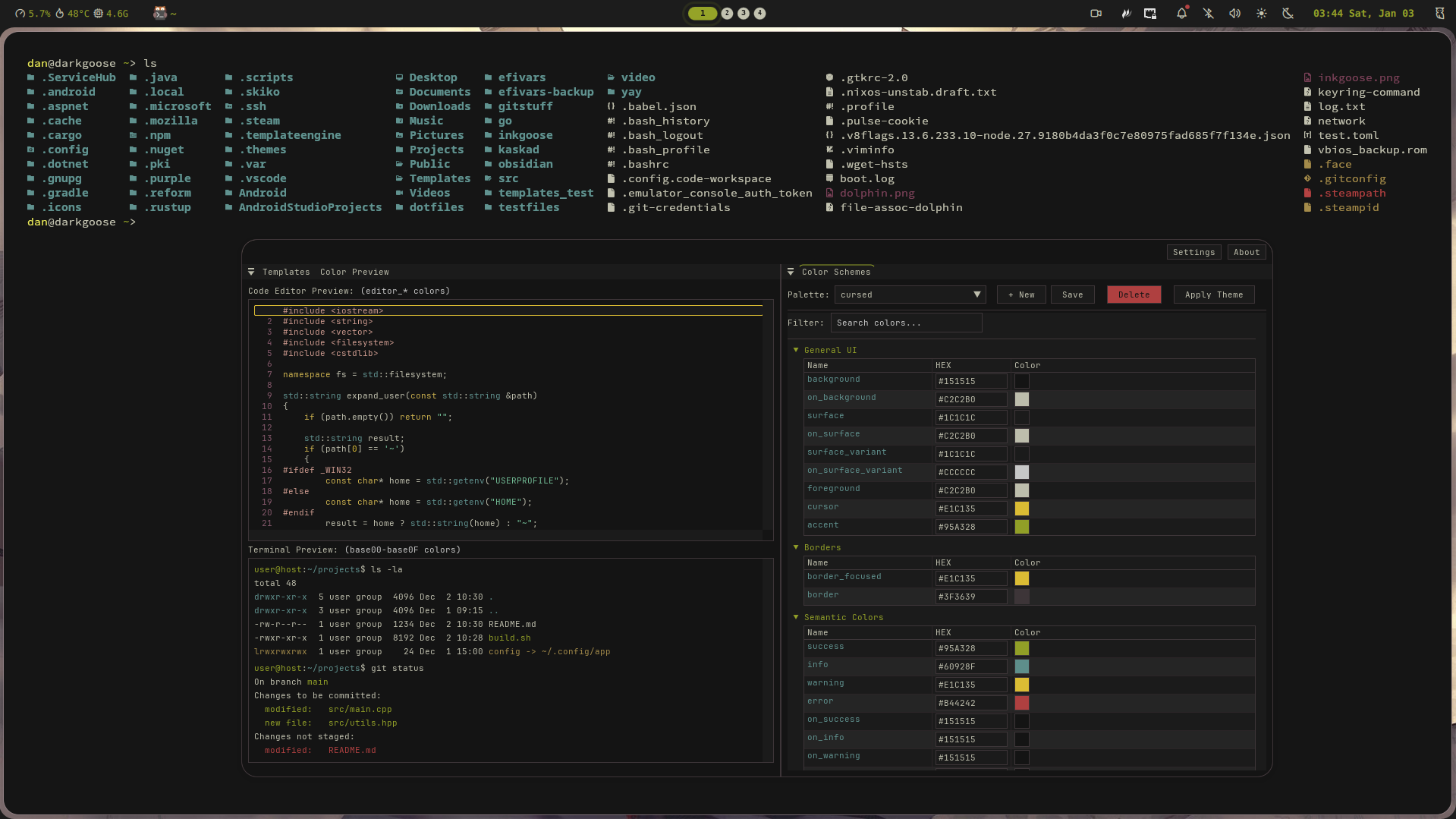
# features
:: unified palettes
Define color palettes, apply across all applications.
:: flexible formats
HEX, RGB, HSL support
:: live reload
Define post-apply hooks.
:: cli & gui
Choose between a command-line interface or a graphical editor.
:: nix integration
Available as home manager module
:: presets
Premade templates for popular apps
# get started
Install from AUR using your preferred helper:
yay -S clrsync-git1. Add clrsync to your flake inputs:
{
  inputs = {
    nixpkgs.url = "github:NixOS/nixpkgs/nixos-unstable";
    home-manager.url = "github:nix-community/home-manager";

    clrsync.url = "github:obsqrbtz/clrsync";
  };
}
2. Add clrsync to flake outputs:
homeConfigurations.<user> = home-manager.lib.homeManagerConfiguration {
  inherit pkgs;
  extraSpecialArgs = { inherit inputs; };
  modules = [
    ./home.nix
    clrsync.homeModules.default
  ];
};
3. Configure in home.nix:
programs.clrsync = {
  package = inputs.clrsync.packages.x86_64-linux.default;
  defaultTheme = "dark";
  palettesPath = "~/.config/clrsync/palettes";
  font = "JetBrainsMono Nerd Font Mono";
  fontSize = 14;
  applyTheme = true;

  templates = {
    kitty = {
      enabled = true;
      inputPath = "~/.config/clrsync/templates/kitty.conf";
      outputPath = "~/.config/kitty/clrsync.conf";
      reloadCmd = "pkill -SIGUSR1 kitty";
    };
  };
};
4. Rebuild:
home-manager switch --flake .Download the latest .rpm from the releases page and install:
sudo dnf install clrsync-<version>.rpmDownload the latest .deb from the releases page and install:
sudo dpkg -i clrsync-<version>.deb- Download the latest installer from the releases page
- Run the installer and follow the wizard
- Optionally, add the installation directory to your PATH
Prerequisites: C++20 compiler, CMake, OpenGL, glfw, fontconfig, freetype
git clone https://github.com/obsqrbtz/clrsync.git
cd clrsync
mkdir build && cd build
cmake ..
cmake --build .
cmake --install .